
What to show on a gas station TV: 12 ideas
Everybody who pays looks at the counter. A TV there, by the coolers or at the door sells this week's deals and says what the store needs said, if what it shows is short and current.
By the The Display Solution team · Updated
Where the screens go
Put a screen where people stop, not where they walk past quickly.
- Behind the counter. Everybody who pays sees it, so it is the place for this week's deals and the item you most want to sell.
- By the coolers and the coffee bar. A drink or coffee offer works best where the choice is made.
- At the door, upright. A portrait screen beside the entrance suits a tall poster: now hiring, your hours, a thank-you on the way out.
- In the window, only with the right screen. An ordinary TV behind glass is hard to read in bright sun; a window facing the pumps needs a display made to be bright.
Twelve ideas
- Cold drink deals: two 20 oz bottles for one price, by the coolers and at the counter.
- Morning coffee combos: a coffee and a pastry, on screen from opening until eleven.
- Hot food after eleven: the lunch deal takes over from breakfast by itself.
- New products of the week: an energy drink or a snack you just stocked, with the day the offer ends.
- Seasonal items: hot chocolate in winter, bags of ice in summer, each with its own dates.
- Your car wash menu, if you have one: the prices at the counter sell the better wash.
- Your rewards program: how to join and what a member saves.
- Now hiring: the jobs open and how to apply, at the counter or on your website.
- Holiday hours: on screen for the days before the holiday, and gone after it.
- The ways you take payment: cards, phones, and anything you do not accept.
- An ID reminder for tobacco and alcohol. It reminds people; it does not replace the signs your state asks for.
- Store notices between the deals: no smoking, CCTV in use, a wet floor.
Make each one play at the right time
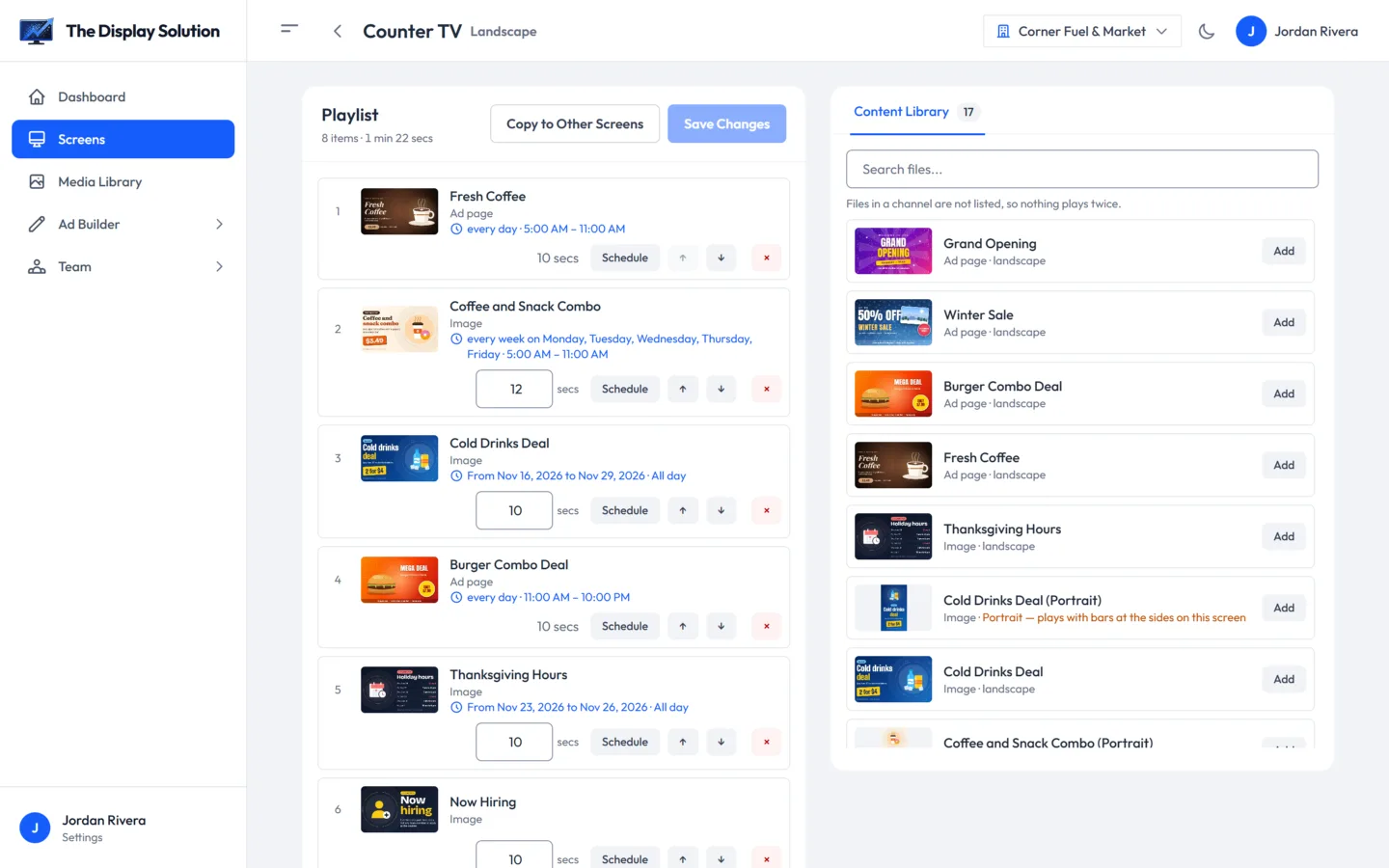
Every item on a screen's playlist can have its own dates, days and hours. Give the coffee combo 5 AM to 11 AM and the lunch deal 11 AM to 10 PM, and the screen changes by the clock with nobody touching it.
Give every deal an end date. It leaves the screen on that day, so no screen goes on selling an offer that is over.
Run more than one store? Each screen has its own playlist, so every store can show its own prices. When a design is the same everywhere, change it once and publish: every screen showing it changes with it.
Keep it readable from the line
- One offer on a screen at a time, with the price as large as the product's name.
- Few words: if it cannot be read in the ten seconds a picture is on screen by default, it is too long.
- Light letters on a dark background, or dark on light. Never words over a busy photo.
- Change it every week. A screen that has shown the same thing for a month is no longer looked at.
What it costs
With The Display Solution your first screen is free and each extra screen is $5 a month: a store with a screen at the counter, one by the coolers and one at the door pays $10 a month. You also need a TV and a Fire TV stick that runs Fire OS or an Android TV box for each screen. While we launch, nothing is charged.