Free while we launch
Turn any TV into a digital sign
Simple digital signage software: make menus, promos and announcements, choose when they play, and send them to every screen from one dashboard.
Your first screen is free. No card needed.


Templates you can use, as they play on a TV
Plays on
- Fire TV
- Android TV
- Samsung TV (coming soon)
- Any web browser
On screen in three steps
No technician, no special box. If the TV can run our app or a web browser, it can be a sign.
 The Display Solution
Create your account
you@yourbusiness.com
Business name
Corner Cafe
Start free
Type this code in your dashboard
H 7 K Q 4 M
Screens, then Add Screen
See the dashboard
This is what you work in after you sign up, shown here with a demo store's content.
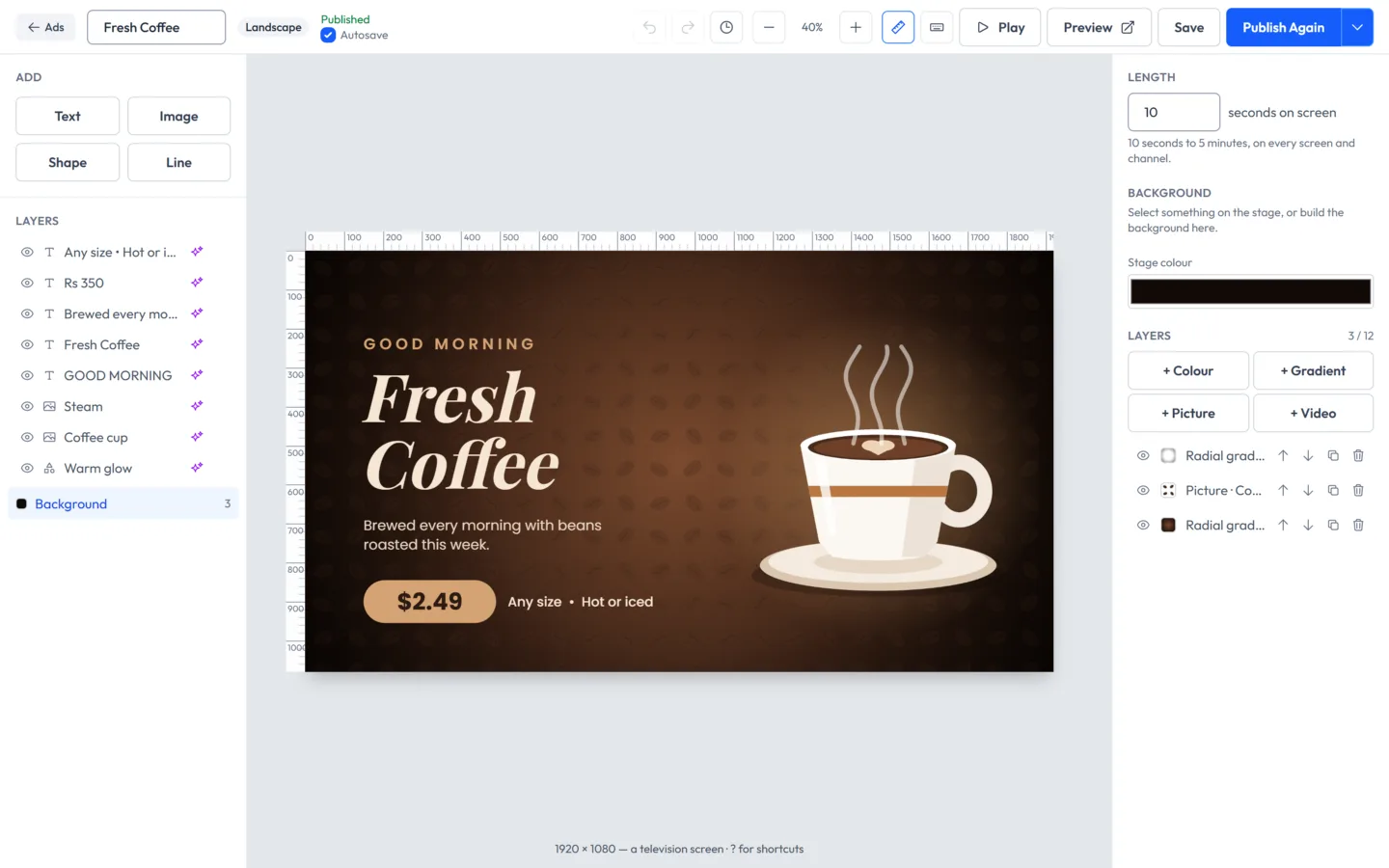
Ad Builder
Design it in your browser
Pick a template or a blank screen, type your prices and add your photos. Publish, and every screen showing it changes with it.
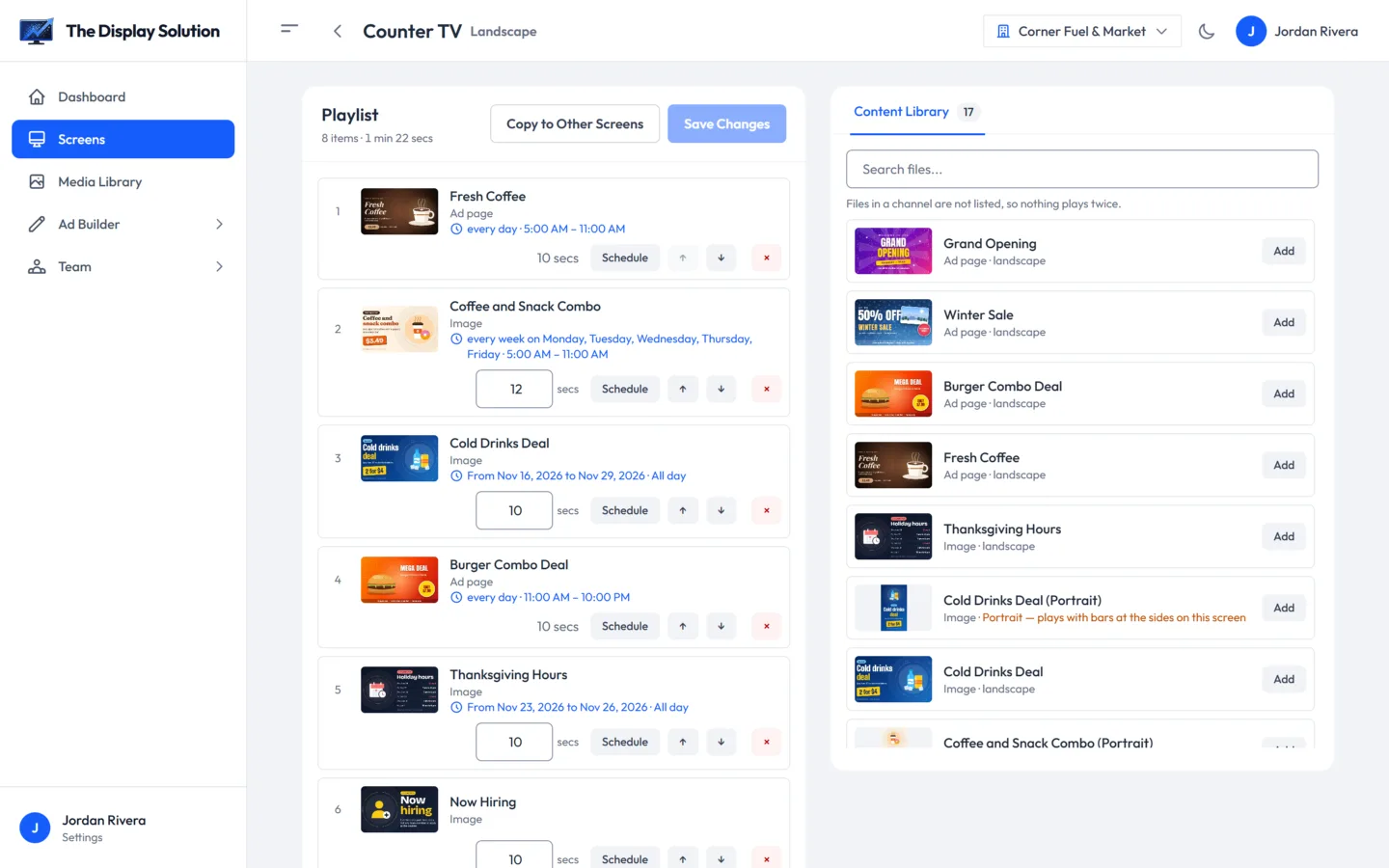
Playlists
Give every item its hours
Breakfast from 5 to 11, the burger deal after, holiday hours only on their dates. Each screen plays its own list by its own clock.
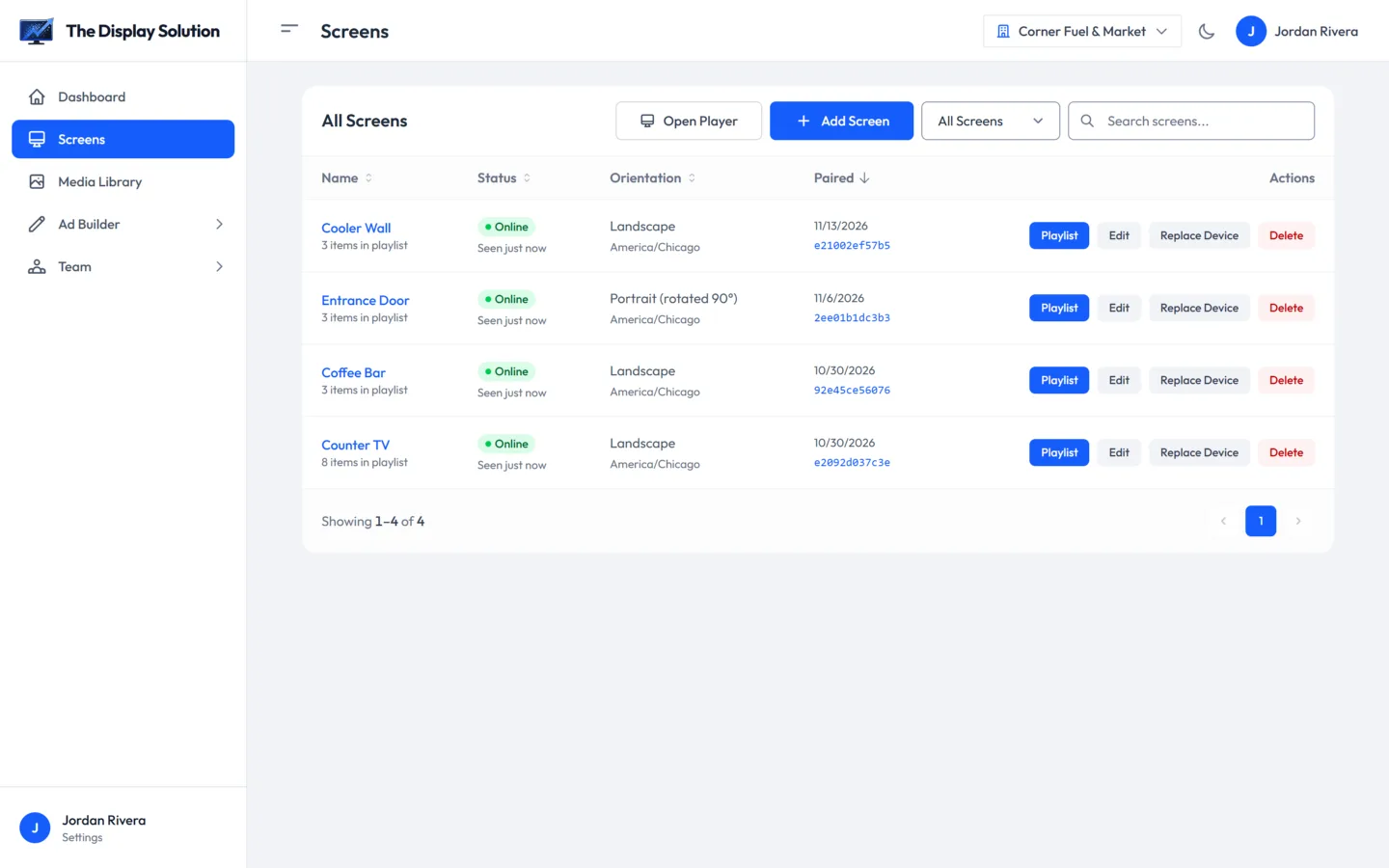
Screens
Every screen at a glance
See which screens are online and which way each one hangs, and open any screen's playlist, from your computer or your phone.
Everything your screens need
Design it, schedule it, and watch it play at every location.
-
Ad Builder
Design menus and promos in your browser. No designer needed.
-
Ready-made templates
Start from a finished menu or promo, change the words and prices, and play.
-
Schedules
Choose the dates, days and hours each item plays. Breakfast in the morning, lunch at noon.
-
Ready channels
Add a channel our team keeps up to date, and new content reaches your screens by itself.
-
Team and locations
Invite your team, give each person a role, and run every location from one place.
-
Keeps playing offline
Fire TV and Android TV screens keep playing when the internet drops.
Made for every kind of place
From the fuel stop on the corner to the school down the road.
- Gas stations and convenience stores Drink and snack deals of the week, right by the counter. Learn more
- Restaurants and cafes Menu boards you can change any time, with prices that are always right. Learn more
- Retail shops Sales, new arrivals and offers where shoppers can see them. Learn more
- Hospitals and clinics Waiting-room notices, directions and health tips. Learn more
- Schools and colleges Announcements, events and timetables in the halls. Learn more
- Tutoring centers Class times, results and enrollment news for parents and students. Learn more
What customers say
In their own words.
Start from a template
Change the words, prices and pictures. Landscape and portrait screens both covered.


Want a design of your own?
If none of our templates is quite right, we can design one just for you, with your menu, prices, logo and colors. Email us what you need and we will talk it through.
or write to support@thedisplaysolution.com
Simple pricing
Pay only for the screens you add.
- First screen
- Free
- Each extra screen
- $5 / month
- Premium Templates add-on
- $10 / month
- Platform Channels add-on
- $10 / month
Free while we launch. Nothing is charged yet.
See full pricingQuestions
Do I need special hardware?
No. A Fire TV stick that runs Fire OS, such as the Fire TV Stick 4K Max, or an Android TV box works, Samsung smart TVs are coming soon, and any screen with a web browser can play too.
Is it really free?
Your first screen is free. While we launch, extra screens and add-ons are free as well: nothing is charged yet.
What happens if the internet drops?
Screens on the Fire TV and Android TV app keep playing what they already have, and catch up by themselves when the line is back.
Can I run more than one location?
Yes. Add as many screens as you need, invite the people who run each place, and give each of them only the access they need.
Who makes the content?
You do, with the Ad Builder and our templates, or you upload your own pictures and videos. Ready channels add content our team keeps fresh.